Generating Chat Reports
You can quickly turn Agent conversations into structured ThreatQ reports by selecting the most relevant chat interactions. This allows you to compile key insights, customize report details, and generate polished, shareable reports directly within the platform.
ThreatQ version 6.20.0 introduced report templates for agent chat reports. Steps to generate will differ based on which ThreatQ version you are currently on.
Generate Report (ThreatQ 6.20.0 and later)
You can begin the report process from either an object's details page or from the chat agent.
- Perform one of the following:
- From an object's details page - hover your mouse over the Insights button and select Full.
- From the agent chat modal - click on the checkboxes to include those conversation segments in the report. Next, click on the report icon on the agent toolbar and then click on Generate in the lower-left corner of the chat window.
The Generate AI-Assisted Report modal will load.
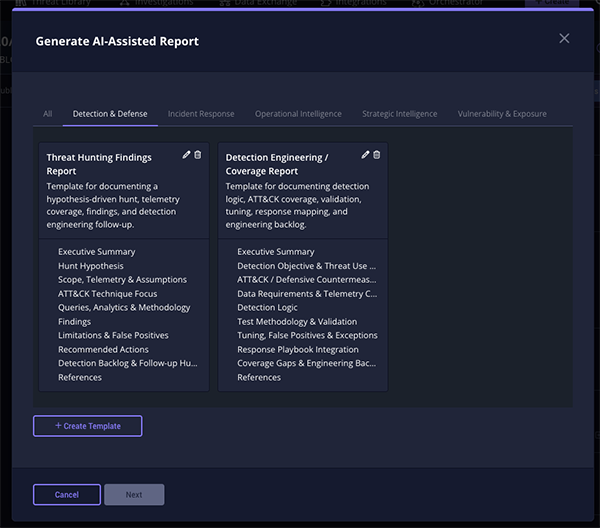
- Select a saved report template and click Next.
You can also or create your own report template.
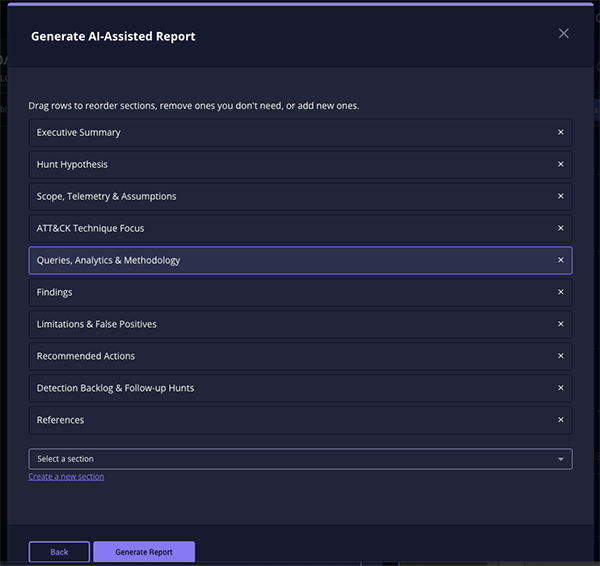
- Drag and drop report sections to change their order, remove sections that are not needed, or add additional sections to customize the report layout. It is important to note that these sections come from the template you selected. Click on Generate Report to proceed.
- The agent will generate a report in the modal using the sections you have selected and display it for review.
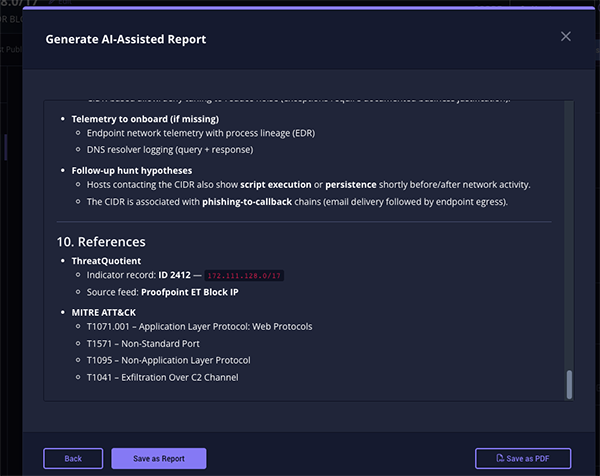
- Decide how to save the report after you have finishing reviewing it. You can either save it as a report object in ThreatQ or save it as a PDF.
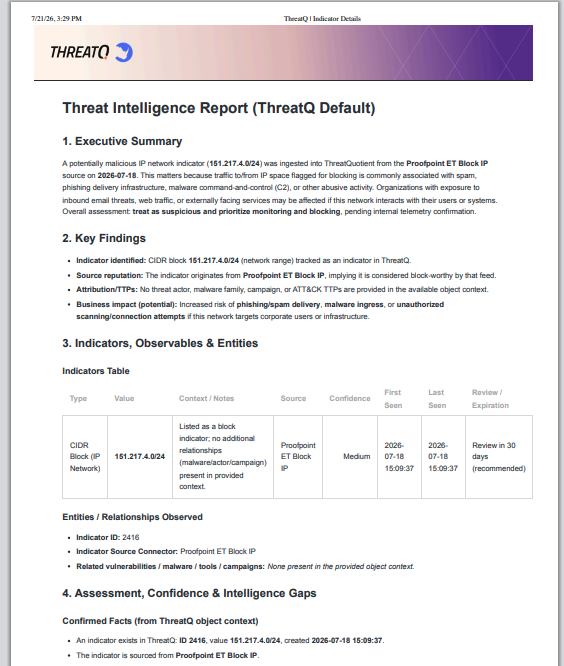
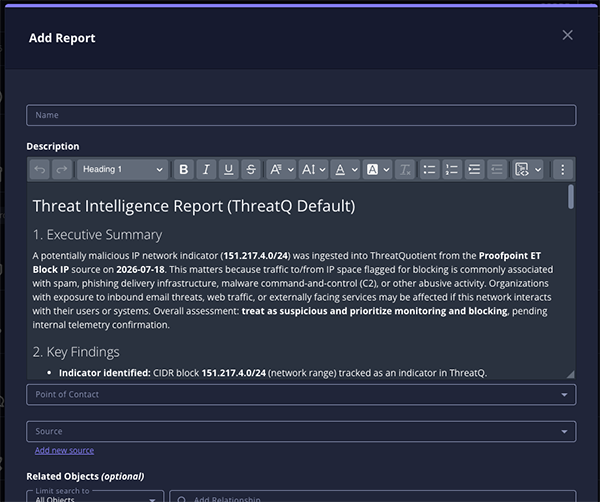
Saving the report to PDF will utilize your PDF settings set under the Report Options page. See the Reports Options section in the topic for more information about PDF styling.
Generate Report (ThreatQ 6.19.1 and earlier)
From the Agent chat window:
- Click on the Generate Report button
 on the agent toolbar.
 - Checkboxes will load next to each interaction of your conversation.
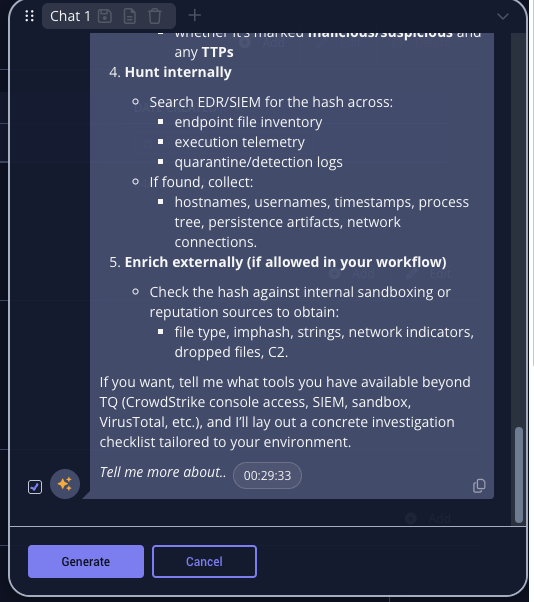
- Click on the checkboxes to include those conversation segments in the report.
- Click on the Generate button.
The Add Report dialog box will load with the selected conversation segments loaded in the Description field.
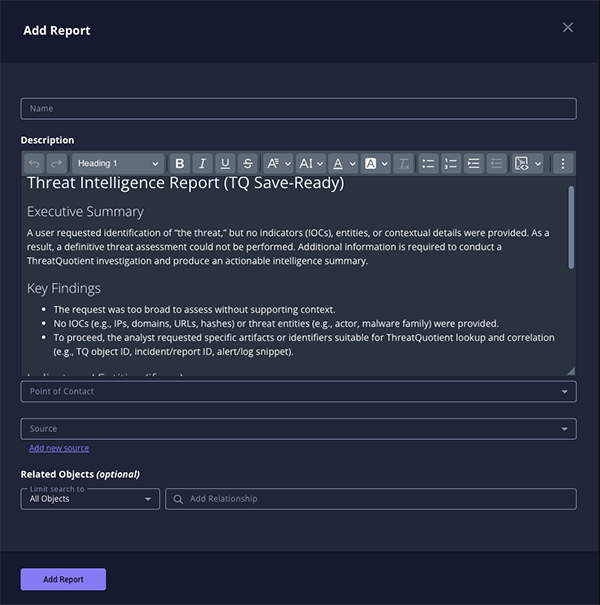
- Enter a name for the report and add any additional required information.
- Click on Add Report to finish generating the report.