Viewing AI Token Usage
ThreatQ records AI agent token usage by user so administrators can review usage over time and monitor configured hourly limits.
Accessing usage information
On the AI Settings page, users with the Administrator or Maintenance role can view consolidated token usage for all users. Other users cannot view another user’s usage.
Usage chart and details
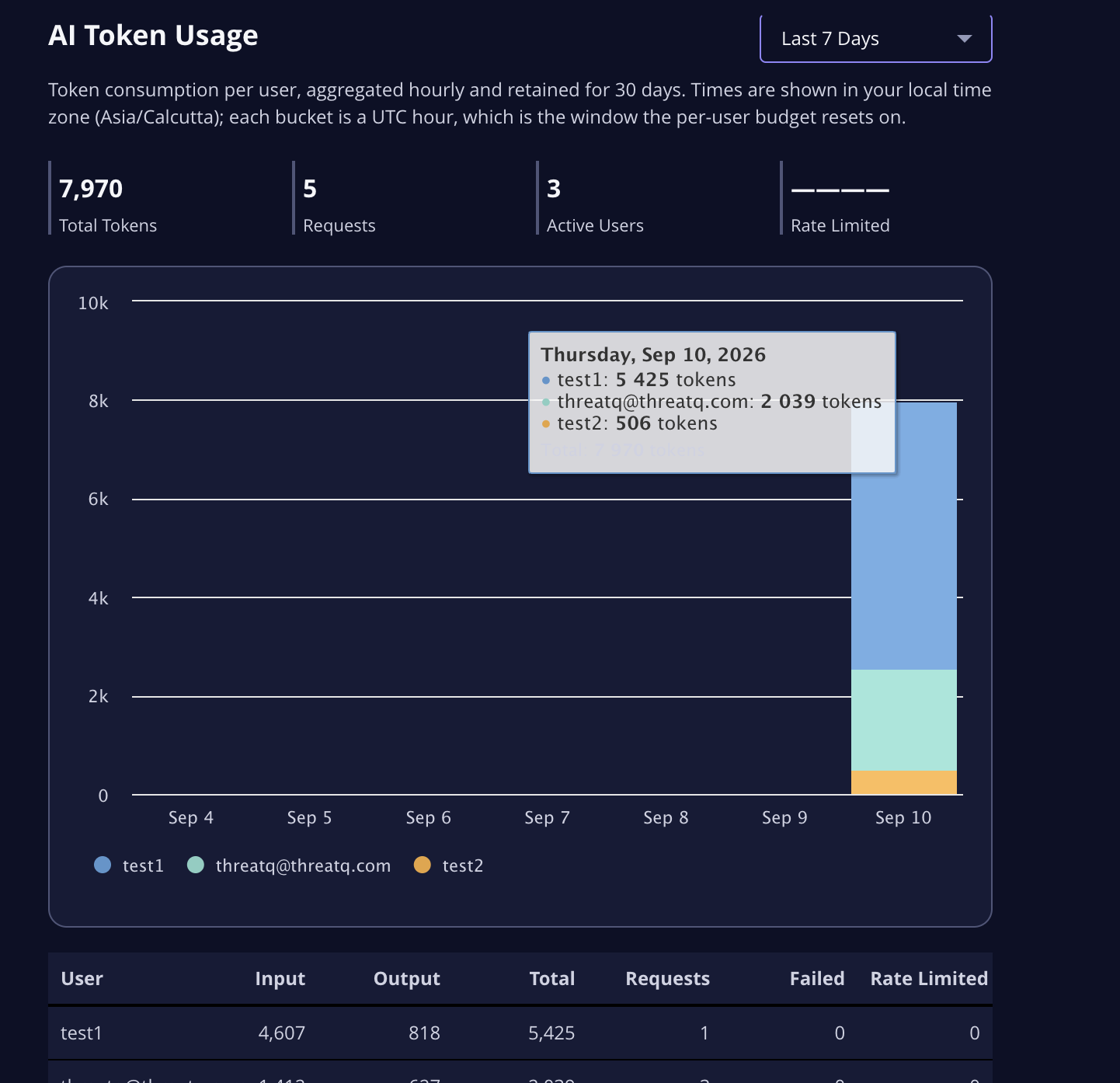
Choose a reporting period to view usage for the last 24 hours, 7 days, or 30 days. The chart groups usage by hour for the 24-hour view and by day for longer periods. Times are shown in your local time zone.
The chart summarizes token usage by user. The per-user table includes input, output, and total tokens, along with request, failed request, and rate-limited request counts. Usage data is retained for up to 30 days.
Hourly token limits
The configured toekn limit applies to each user in fixed one-hour windows based on UTC. The limit resets at the beginning of each UTC hour. In the hourly chart, the configured limit is shown as a reference; it does not apply to daily totals.
A request that takes a user over the limit may finish. Additional requests from that user are blocked until the next UTC hourly window, when usage starts a new period.