Using the Agent
Default ThreatQ Role: Administrative, Maintenance, or Primary Contributor.
Custom Role - Action Permissions: Agentic Assistance - Access MCP Server and Use Agentic Chat
The Threat Research Agent enables you to interact with your ThreatQ data using natural language, allowing you to quickly query threat intelligence, retrieve object details, and enrich information using integrated tools. The agent leverages both your Threat Library and configured ThreatQ operations to provide contextual insights and actionable results.
You can launch the Threat Research Agent from two locations within the ThreatQ platform.
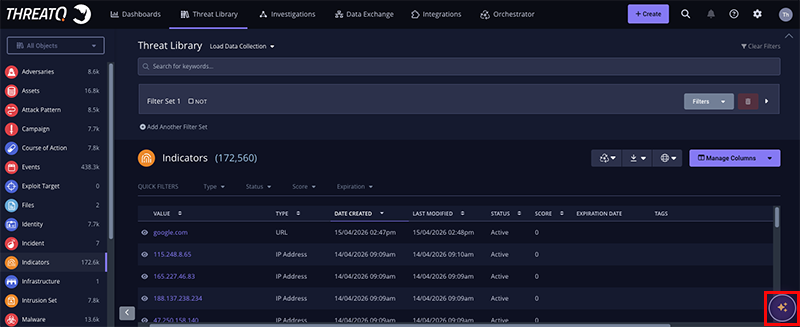
Agent Bubble
Select the Agent icon located in the lower-right corner of the ThreatQ interface to open the chat window and begin a new conversation. This entry point is intended for general research, ad hoc questions, and investigations that are not tied to a specific ThreatQ object.
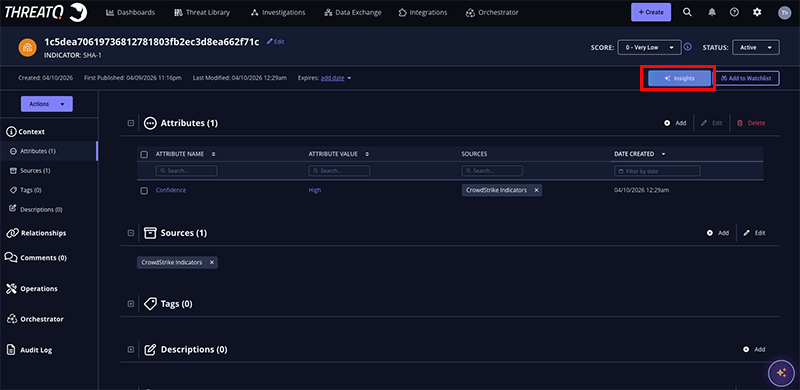
Insights Button
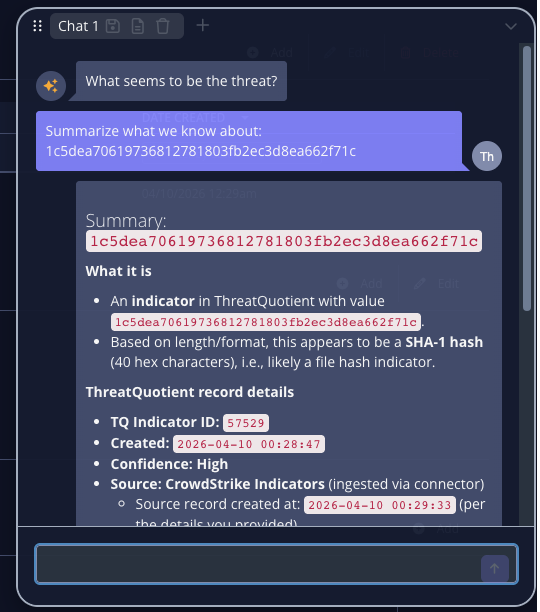
The Insights button is available on an object's details page and provides contextual access to the Threat Research Agent. When launched from an object, the agent automatically receives the selected object as context, allowing it to generate responses that are specific to the object being analyzed.
 .
. 
ThreatQ v6.20.0 and Later
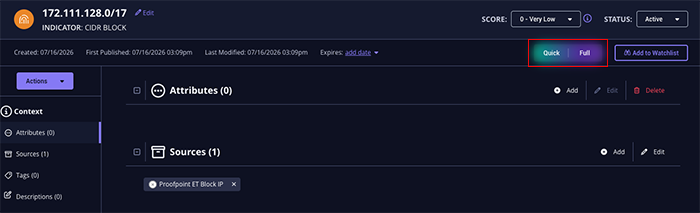
Beginning with ThreatQ v6.20.0, the Insights button provides two analysis options.
- Quick – Generates an AI-powered summary of the selected object and displays the results directly in the chat.
- Full – Opens the Report Generation interface to create a comprehensive AI-generated report for the selected object.
Working with the Agent
After you submit a prompt, the Threat Research Agent analyzes the request and returns a contextual response. The agent may also suggest follow-up prompts to help you continue your investigation, explore related intelligence, or gather additional information without needing to reformulate your query.
The quality and relevance of responses are enhanced by the context available to the agent, including ThreatQ objects, relationships, and intelligence stored within your Threat Library.
Using ThreatQ Operations as Agent Tools
The Threat Research Agent can invoke configured ThreatQ Operations as AI tools to enrich objects, retrieve external intelligence, and perform investigative actions during a conversation. These tools allow the agent to extend its analysis beyond the information currently stored in your Threat Library.
To be available to the agent, Operations must be properly configured, authenticated, and enabled within the ThreatQ platform.
Unlike manually executed Operations, the Threat Research Agent can use these tools against both:
- Existing ThreatQ objects stored in the Threat Library.
- External indicators or intelligence that have not yet been ingested into ThreatQ.
This capability enables analysts to perform contextual enrichment and research on demand, reducing manual effort while expanding the scope of available intelligence during an investigation.