Silent Push TAXII Feed
The web format of this guide reflects the most current release. Guides for older iterations are available in PDF format.
Integration Details
ThreatQuotient provides the following details for this integration:
| Guide Version | 1.0.0 |
| TAXII Server Version | 2.1.0 |
| Silent Push Version | >= 4.7 |
| Compatible with ThreatQ Versions | >= 5.6.0 |
| Support Tier | Developer Supported |
| Developer Contact | info@silentpush.com |
Introduction
The Silent Push TAXII Feed, introduced in version 4.7, provides a new method for accessing all Silent Push intelligence feeds through a TAXII server interface. This capability enables easier data sharing with partners and seamless integration with common SIEM and TIP platforms. The TAXII server is available at taxii.silentpush.com, and users can obtain access by contacting their Silent Push Customer Success representative.
This feed is a TAXII feed and does not require installation files from the ThreatQ Marketplace.
Prerequisites
You will need the following to use the TAXII feed:
- Your Silent Push username and password to set up this TAXII feed in ThreatQ.
- Access to the Silent Push TAXII server that is obtained from contacting your Silent Push Customer Success representative.
Setting up the TAXII Feed
ThreatQuotient does not issue API keys for third-party vendors. Contact the specific vendor to obtain API keys and other integration-related credentials.
To set up and configure the TAXII feed:
- Navigate to your integrations management page in ThreatQ.
- Click on the Add New Integration button and select the Add New TAXII Feed option.
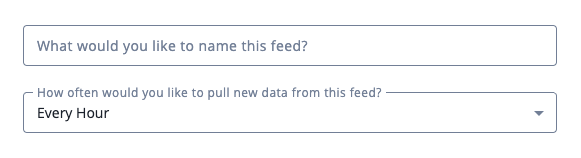
- Enter the following feed settings:
Parameter Description What would you like to name this feed Enter the name of the feed. This is the name that the ThreatQ UI will display. How ofter would you like to pull new data from this feed Select the frequency in which the feed it pulled. Options include: - Every Hour
- Every6 Hours
- Every Day
- Every 2 Days
- Every 14 Days
- Every 30 Days
- Enter the TAXII Connection Settings:
Parameter Description TAXII Server Version Select the 2.1 option from the dropdown menu. Discovery URL Enter the Silent Push URL: https://taxii.silentpush.com/taxii2/.Poll URL Optional - enter a URL for specific endpoint on the TAXII server to poll for data. If this field is left blank, the TAXII client will determine the appropriate path via the Collections Service. Collection Name/Title Enter the Silent Push collection name to pull. 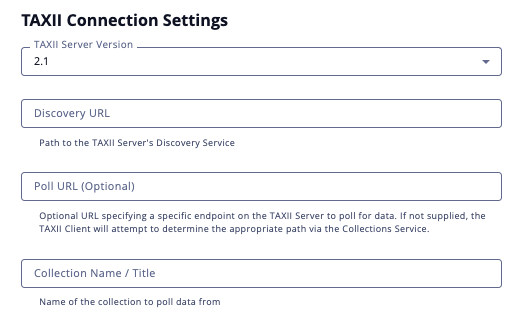
- Leave the Disable Proxies setting unchecked.
- Enter your Silent Push Login Credentials:
Parameter Description Username Enter your Silent Push username. Password Enter your Silent Push password. 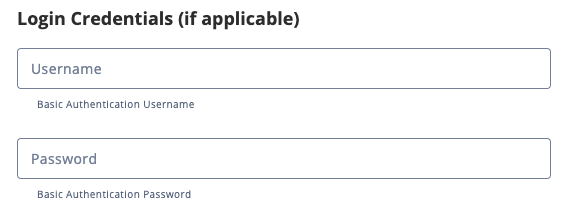
- Leave the Certificate/Keys fields blank.
- Leave the Verify SSL field selected and paste a Host Bundle (if applicable).
- Click on Add TAXII Feed.
The TAXII feed will now appear as an integration tile card on your My Integrations page using the display name you supplied in step 3. You can also click on the Category dropdown and select STIX/TAXII to filter your view.
- Click on the TAXII feed's tile card to open up its details page.
- Click on the Enable toggle switch, located above the Additional Information section, to enable the TAXII feed.
Change Log
- Version 1.0.0
- Initial release
PDF Guides
| Document | TAXII Version | ThreatQ Version |
|---|---|---|
| Silent Push TAXII Feed Guide v1.0.0 | 2.1.0 | 5.6.0 or Greater |