Investigation Links Operation
The web format of this guide reflects the most current release. Guides for older iterations are available in PDF format.
Integration Details
ThreatQuotient provides the following details for this integration:
| Current Integration Version | 1.0.0 |
| Compatible with ThreatQ Versions | >= 5.5.0 |
| Support Tier | ThreatQ Supported |
Introduction
The Investigation Links Operation generates and saves direct links to supported external security products and threat intelligence platforms for the selected indicator. By providing one-click access to relevant third-party investigation tools, the operation enables analysts to quickly pivot between platforms, gather additional context, and accelerate threat analysis without manually constructing search URLs or performing separate lookups.
Despite its similar name, the Investigation Links Operation is independent of the ThreatQ Investigations (TQI) module. This operation does not integrate with or provide functionality related to TQI; its sole purpose is to generate direct links to external investigation platforms for supported indicators.
The integration provides the following operation action:
- Generate Links - generates and saves direct links to supported external security products and threat intelligence services for the selected indicator.
The integration is compatible with the following indicator types:
- CVE
- Email Address
- FQDN
- IP Address
- IPv6 Address
- MD5
- SHA-1
- SHA-256
- SHA-512
- URL
Installation
Perform the following steps to install the integration:
The same steps can be used to upgrade the integration to a new version.
- Log into https://marketplace.threatq.com/.
- Locate and download the integration file.
- Navigate to the integrations management page on your ThreatQ instance.
- Click on the Add New Integration button.
- Upload the integration file using one of the following methods:
- Drag and drop the file into the dialog box
- Select Click to Browse to locate the integration file on your local machine
ThreatQ will inform you if the operation already exists on the platform and will require user confirmation before proceeding. ThreatQ will also inform you if the new version of the operation contains changes to the user configuration. The new user configurations will overwrite the existing ones for the operation and will require user confirmation before proceeding.
The operation is now installed and will be displayed in the ThreatQ UI. You will still need to configure and then enable the operation.
Configuration
ThreatQuotient does not issue API keys for third-party vendors. Contact the specific vendor to obtain API keys and other integration-related credentials.
To configure the integration:
- Navigate to your integrations management page in ThreatQ.
- Select the Operation option from the Type dropdown (optional).
- Click on the integration entry to open its details page.
- Enter the following parameter under the Configuration tab:
Parameter Description Vendor Links Select the external security products and threat intelligence platforms for which links will be generated. - AlienVault OTX (Default)
- BuiltWith (Default)
- Censys (Default)
- DomainTools (Default)
- Google Public DNS (Default)
- Hurricane Electric (Default)
- Hybrid Analysis (Default)
- IBM X-Force Exchange (Default)
- InQuest (Default)
- InQuest IOC-DB (Default)
- InQuest REP-DB (Default)
- InQuest DFI (Default)
- IPInfo (Default)
- PassiveTotal (Default)
- Recorded Future (Default)
- Robtex (Default)
- Scumware (Default)
- Shodan (Default)
- urlQuery (Default)
- urlscan.io (Default)
- VirusTotal (Default)
Available vendor links vary by indicator type, so only links supported for the selected indicator will be included in the output.
- Review any additional settings, make any changes if needed, and click on Save.
- Click on the toggle switch, located above the Additional Information section, to enable it.
Actions
The operation provides the following action:
| Action | Description | Object Type | Object Subtype |
|---|---|---|---|
| Generate Links | Generate links to pivot to various investigation tools for the given indicator | Indicator | IP Address, FQDN, URL, MD5, SHA-1, SHA-256, IPv6 Address, SHA-512, CVE, Email Address |
Generate Links
The Generate Links operation action generates a collection of direct links to supported external security products and threat intelligence platforms for the selected indicator and saves the generated links as a Description on the corresponding ThreatQ indicator. These links enable analysts to quickly pivot from ThreatQ to third-party investigation tools to gather additional context without manually constructing search URLs.
Only links supported for the selected indicator type are generated. For example, platforms that only support IP address lookups will not be included when the selected indicator is an FQDN, URL, or file hash.
This action performs all link generation locally and does not make any network connections or API requests to external services. It also does not ingest or enrich ThreatQ with external intelligence, as its sole purpose is to provide convenient navigation links for analyst investigations.
Results Example
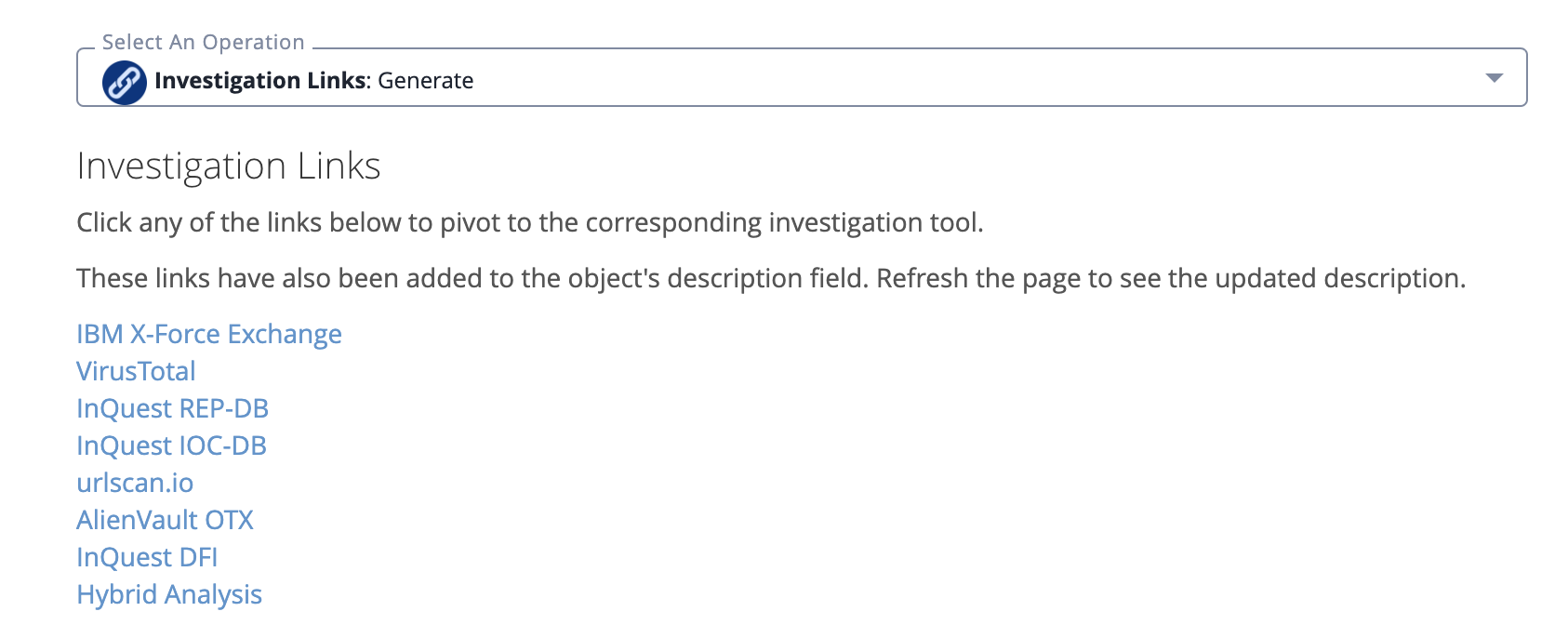
The following image is an example of the results returned when running the operation action.
Description Example
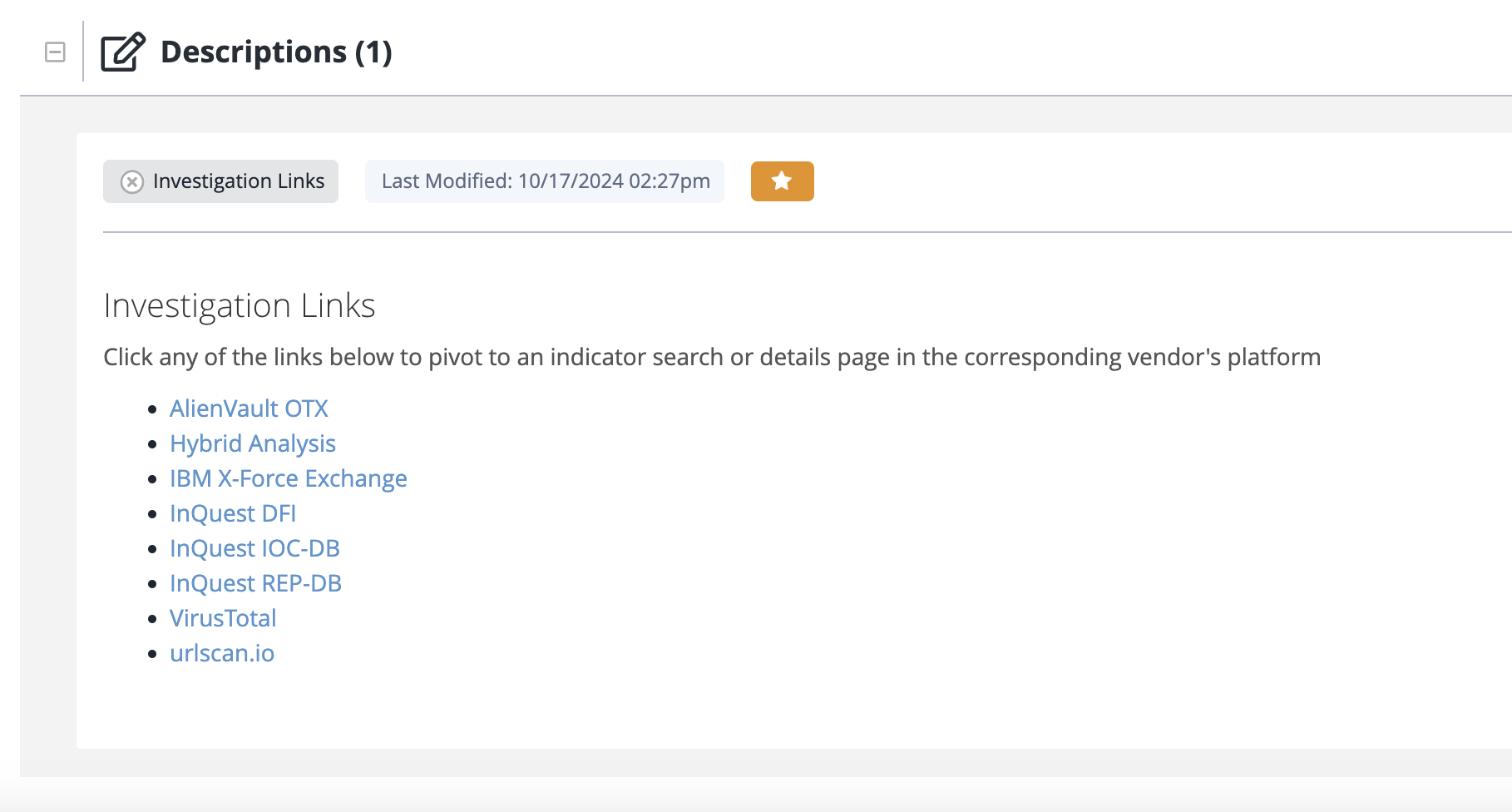
The following image is an example of how the results will appear in the object's description pane.
Change Log
- Version 1.0.0
- Initial release
PDF Guides
| Document | ThreatQ Version |
|---|---|
| Investigation Links Operation Guide v1.0.0 | 5.5.0 or Greater |